Book an Appointment
Call Arlington Computer Repair Service at 817-756-6008
                   

(817) 756-6008

*


Arlington Computer Repair Service has provided the best mobile computer repair in Arlington, TX and the greater Dallas-Fort Worth Metroplex since 1999. The term "mobile computer repair" means we come to you to resolve all your computer problems.

We repair laptops, desktops, PCs and Apple computers. One of our highly qualified staff will come to you, often the same day, to take care of all your repair needs.

Why not use the #1 rated company for computer repair in Arlington, TX?

Computer Repair 4.9 / 5 stars from 296 reviews
Why use a computer tech when you can have a Arlington based Computer Engineer? Mon-Sun 8:00am - 8:00pm

Call us at (817) 756-6008

Text us at (817) 756-6008

Email us your questions

Book an Appointment

"Very Good! Saved me from buying a new computer."
Arlington Computer Repair Service 5 / 5 stars
"Ben was amazing and insightful. We cannot thank you enough."
Arlington Computer Repair Service 5 / 5 stars
"I had the greatest experience with the technician. My computer is running better than it ever has. I had to get a new hard drive and he was able to ensure all my files came over and I did not lose anything. I am 1000% satisfied. He was awesome. He was very knowledgeable and personable. I would give him 100 stars."
Arlington Computer Repair Service 5 / 5 stars
"Matt did a great job, solved a number of my issues , would recommend him and the company."
Arlington Computer Repair Service 5 / 5 stars
"Polite, professional, well done. I received excellent solutions to my computer problems. He helped me understand what I needed to do in the future, and setup an online backup for my computer."
Arlington Computer Repair Service 5 / 5 stars

Who is Arlington Computer Repair Service?

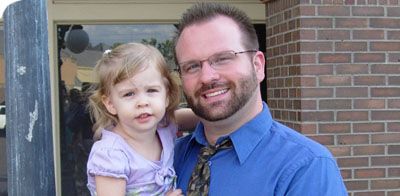
Arlington Computer Repair Service is owned by Matt Karls, an Electrical Engineer and a Computer Systems Engineer. We are a team of computer professionals focused on Service and quality, all our work is guaranteed.

If you have any computer, technology or IT problem in Arlington, TX we can fix it. We have been performing computer repair in Arlington full time since 1999. Feel free to give us a call or text us at (817) 756-6008.

Arlington Computer Repair Service's Computer Engineer

What is your Service Area for on-site Computer Repair?

Our primary on-site mobile Service areas include the greater Dallas-Fort Worth Metroplex and the Phoenix, Tucson, Las Vegas, San Diego, Salt Lake City and Denver metro areas.

We provide remote and mobile computer repair in Arlington, Addison, Allen, Balch Springs, Bedford, Burleson, Carrollton, Cedar Hill, Colleyville, Coppell, Dallas, DeSoto, Duncanville, Euless, Farmers Branch, Flower Mound, Fort Worth, Frisco, Garland, Grand Prairie, Grapevine, Haltom City, Highland Park, Hurst, Irving, Keller, Lancaster, Lewisville, Little Elm, Lucas, Mansfield, McKinney, Mesquite, Murphy, North Richland Hills, Plano, Prosper, Red Oak, Richardson, Rowlett, Sachse, Saginaw, Seagoville, Southlake, Sunnyvale, The Colony, Trophy Club, University Park, Watauga and Wylie.

Our on-site Computer Service Area

What should someone expect that hires you for Computer Service?

Our mission is to fully resolve your computer problems quickly and affordably. If you want a Computer Engineer that can fix all of your computer problems instead of a computer tech, a computer geek, a technician or a computer guy that can only fix some of your problems; call us at (817) 756-6008.  

What types of Computer Services do you perform?

We service businesses and business clients in their homes, including:
 
  • Diagnose / repair hardware or software problems
  • Spyware, malware, trojan and virus removal
  • Setup wireless and small business networks
  • Laptop repair, PC repair and Apple repair
  • Hard drive data recovery

Arlington Computer Repair Service Contact Information

Arlington Computer Repair Service
Arlington, TX 76006
(817) 756-6008

Arlington Computer Repair Service is a Karls Technology company

* *
*
*
*
  *
* *


*
*
* * * * * * * * * * * * * * *
4.9 / 5 stars from 296 reviews

"Very polite and helpful. Very fast transferring my files from my old computer to my new one. Very happy I found them. They are my computer guys now."

Arlington Computer Repair Service 5 / 5 stars

"Excellent, all is working, thank you."

Arlington Computer Repair Service 5 / 5 stars

"Jason was the epitome of professionalism. He was so knowledgeable as well as thorough. I would use him anytime. I am extremely happy and thank you very much."

Arlington Computer Repair Service 5 / 5 stars

"The service was prompt and professional and the price was right! Thank you very much!"

Ahwatukee Computer Repair Service 5 / 5 stars
Best Antivirus Software of 2026: The Ultimate Guide to Cybersecurity Brands

In 2026, the digital threat landscape has shifted. We are no longer just fighting simple viruses; we are defending against AI-generated phishing, sophisticated ransomware-as-a-service, and complex identity theft. Choosing the right antivirus brand is no longer optional—it is the foundation of your digital life. At Karls Technology, we’ve analyzed the top-performing security suites of the […] The post Best Antivirus Software of 2026: The Ultimate Guide to Cybersecurity Brands appeared first on Computer Repair Blog.

New Microsoft Defender SmartScreen Feature

In an effort to ward off phishing attacks and encourage users to use strong passwords, Microsoft released Defender SmartScreen. The Windows 11 22H2 update, which Microsoft issued at the end of the previous month, included a new feature that should make it easier for users to keep their credentials secure. When logging into an app […] The post New Microsoft Defender SmartScreen Feature appeared first on Computer Repair Blog.

Force Quit on MacOS

Control-Alt-Delete is the same thing as Option + Command + Esc in macOS. Make use of this keyboard shortcut to bring up the window to force quit applications, which will allow you to view what programs are currently active on your computer. You also have the option of selecting Force Quit from the Apple menu. […] The post Force Quit on MacOS appeared first on Computer Repair Blog.

iPhone Switching to USB-C

Because the European Union (EU) will mandate USB-C for all devices sold within its member states by 2024, Apple will be compelled to make the switch for the next generation of iPhones. During this time, the European Union (EU) will require USB-C for all devices sold within its member states. Perhaps Apple will only upgrade […] The post iPhone Switching to USB-C appeared first on Computer Repair Blog.

If Your Computer Won’t Turn On, Here May Be Why

The last thing users need to happen when they’re about to jump on their PC is for it not to turn on. There is a possibility that your computer may not switch on because the power supply is broken or has died. If the computer’s power supply is malfunctioning, the components of the machine will […] The post If Your Computer Won’t Turn On, Here May Be Why appeared first on Computer Repair Blog.

Applications Won’t Work

When an application fails to install on your computer or it won’t work properly, it could be for a handful of reasons. Your computer’s hardware and software probably aren’t compatible with the program in question. The prerequisites for running any given piece of software on a computer are known as its “system requirements.” These might […] The post Applications Won’t Work appeared first on Computer Repair Blog.

Update Google Chrome Now

Another urgent notice has been sent by Google to all users. Now is the time to check that you are using the most recent version of the Chrome browser. Since a zero-day vulnerability has been discovered, there is a heightened sense of urgency. The current critical situation necessitates that all users double-check their Windows computers […] The post Update Google Chrome Now appeared first on Computer Repair Blog.

Remote Tech Support Can Be Risky

Using remote tech support is a high risk situation. Scammers posing as remote tech help can install malware on victims’ computers. Malware can remotely access a device, allowing hackers to inspect its data and take control. If you encounter infected pop-ups, don’t call any of the known software tech companies. Scammers will demand urgent payment […] The post Remote Tech Support Can Be Risky appeared first on Computer Repair Blog.

Changing Start Menu’s Location on Windows 11

Some users may object to the fact that the Start button and taskbar icons are now centered in Windows 11. Thankfully, this can be remedied. The Start menu can be shifted to its usual location in the lower-left corner of the display. Simply right-click on the taskbar and pick Taskbar settings. Click the expand button […] The post Changing Start Menu’s Location on Windows 11 appeared first on Computer Repair Blog.

Apple Says No to Increased Prices

Apple, TSMC’s largest customer, has reportedly rejected the supplier’s plans to increase chip prices in 2019. There will be a price increase of around 9% implemented by TSMC. The Taiwan Semiconductor Manufacturing Company (TSMC) produces all of Apple’s custom silicon chips. In order to preserve its premium and pass on increased expenditures to customers, the […] The post Apple Says No to Increased Prices appeared first on Computer Repair Blog.